Is Tasks.Bot Good for Multi Step Workflow Automation Software
Your team drops the ball between step two and step three. Assignments live in one app, approvals in another, and proof of completion in a WhatsApp thread nobody can find. That gap is where deadlines die.
This article answers whether Tasks.Bot handles multi step workflow automation, covering how it chains tasks, where it fits and where it does not, its key features like voice notes and instant reports, pricing, beta status, and a final verdict so you can decide before committing.
What Is Tasks.Bot? Who It's Built For
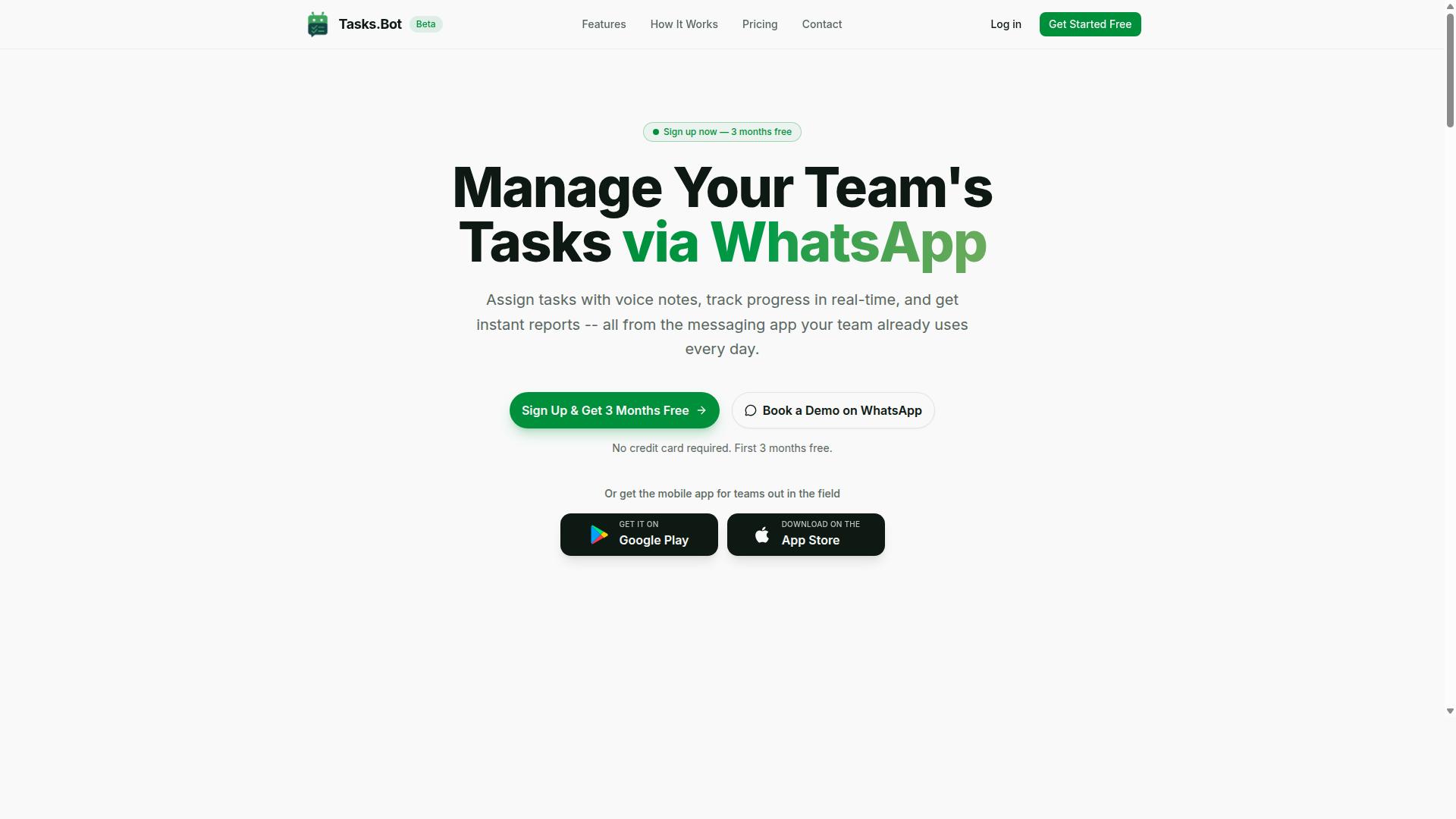
Tasks.Bot is a task management platform that operates entirely within WhatsApp, enabling teams to assign tasks, track progress, and receive reports without leaving the messaging app. Instead of asking workers to learn a new dashboard or log into yet another portal, it meets them in the app most of them already open dozens of times a day.
That design choice matters for multi-step workflow automation. When task assignment, status updates, and reporting all live inside a familiar chat thread, the friction that usually kills adoption simply disappears. Teams do not need training sessions or IT rollouts to get moving.
Tasks.Bot is offered as a SaaS automation platform, meaning there is nothing to install on a server and nothing to maintain on-site. It also provides a dedicated mobile app built for field teams, so staff who are not sitting at a desk can still receive assignments, update progress, and stay connected to the rest of the operation.
For organizations weighing workflow automation software, this combination of a chat-first interface and a purpose-built mobile app addresses a common gap. Office-based tools assume everyone has a laptop open. Tasks.Bot assumes the opposite, and that assumption shapes how the whole product works.
The platform is currently in beta and used by hundreds of teams, which tells you two things. Real operations are already running on it day to day, and the product is still evolving, with room to shape how it develops.
Who is it actually built for? The clearest fit is any team that already runs its communication through WhatsApp, particularly those managing people in the field rather than at a desk. That includes:
- Field staff and their managers, who need tasks delivered where they already communicate
- Operations handling attendance tracking, keeping daily presence records in one place
- Payroll-ready hour logging, so time data flows toward pay without separate spreadsheets
- Small and mid-sized teams that want structure without adopting heavy enterprise software
If a business already coordinates over WhatsApp and struggles to keep sequential tasks and follow-ups straight, Tasks.Bot fits the way that business already works. It does not demand a new communication habit. It formalizes the one people already have.
The beta status is worth noting honestly. It means the platform is not a finished, static product, and teams joining now are part of its growth. A free trial period is available, so evaluating whether it suits a particular operation carries no upfront cost. For a team that wants to test a WhatsApp-native approach to task orchestration before committing, that removes most of the risk from the decision.
The short answer to who it serves: teams that live in WhatsApp, manage field workers, and need task assignment, attendance, and payroll-ready hours handled without bolting on a complicated system. That is a specific audience, and Tasks.Bot is built squarely for it rather than trying to be everything to everyone.
Is Tasks.Bot Good for Multi Step Workflow Automation? The Direct Answer
Tasks.Bot is a capable tool for multi-step workflow automation, but its suitability depends on your team's specific needs and existing processes. For teams that already run their daily communication through WhatsApp, it offers a practical way to turn conversations into structured automation without a heavy setup process.
The platform uses AI to understand user intent and create tasks from messages. That means a voice note or a quick text can become a real task with an owner, a deadline, and a next step attached to it. Features like approvals and automations, smart deadline reminders, and automatic task assignment do much of the coordination work that usually eats up a manager's day.
Where Tasks.Bot shines is in lightweight, mobile-first workflows. Field staff management, simple approval chains, and task tracking with reminders are all natural fits. The service also covers face-verified attendance, shifts, leave, and payroll-ready hours, so several connected steps can live in one place.
What it will not do is replace a full-scale BPM suite. Organizations juggling dozens of branching workflows across multiple departments, or relying on deep legacy system connections, may still need a traditional workflow engine. The honest answer is that Tasks.Bot is excellent for the workflows most teams actually run, and less suited to enterprise-scale process orchestration. The sections below break down the mechanics, the fit, and the limits.
How Tasks.Bot Handles Multi Step Workflows
Tasks.Bot handles complicated processes by allowing users to create tasks via voice notes or text, automatically assigning them, and triggering subsequent actions such as approvals or reminders. The AI layer interprets what the user means, so building a sequence feels more like sending a message than configuring software.
A typical flow looks like this: a task is created, it is routed to the right person, and once completed, the next step fires automatically. If an approval is required, the item goes to a manager before moving forward. Reminders keep each stage on schedule without anyone chasing updates manually.
Consider onboarding a new employee. A single request can spawn a chain of sequential tasks: paperwork, equipment, and access setup, each assigned to a different owner. A field service request works the same way. The job is logged, assigned to a technician, tracked on a map, and closed out with a report.
- Trigger-based automation: completing one task can start the next
- Conditional logic: approvals route to the right person before work continues
- Parallel execution: related tasks can run at the same time across owners
- Scheduled automation: smart deadline reminders keep every stage moving
Because the setup is driven by natural language, this is closer to no-code automation than a traditional visual workflow builder. Teams do not need to map every dependency by hand before the first task goes out. The trade-off is that very deep branching workflows with dozens of steps are better served by a dedicated workflow engine, which is where the next section picks up.
Where It Fits - and Where It Doesn't
Tasks.Bot fits best in teams that already rely on WhatsApp for communication and need lightweight, mobile-friendly workflow automation. If your staff work in the field and coordinate by chat, the native WhatsApp integration means there is little to learn. Tasks arrive where people already are.
The strongest use cases include field staff management, simple approval chains, and task tracking with reminders. Attendance, shifts, leave, and payroll-ready hours round out the picture for teams that need those connected steps in the same tool. Instant reports and a live day tracker give managers visibility without extra admin work.
- Good fit: small to mid-sized teams on WhatsApp, field operations, approval flows, recurring task tracking
- Weaker fit: complex branching workflows with dozens of steps, heavy integration with legacy systems, departments needing a full BPM suite
Traditional workflow engines offer visual builders and extensive API integrations that suit large-scale business process automation. Tasks.Bot takes a different route, trading some of that depth for speed and simplicity. It is also in beta, so some features may evolve over time.
For most teams weighing multi-step workflow automation, the deciding factor is whether their processes are conversational and mobile-first or deeply technical and cross-departmental. If the former, Tasks.Bot is a strong, practical choice. If the latter, it works best alongside a more traditional platform rather than as a replacement.
Key Features That Support Multi Step Automation
Tasks.Bot includes several features designed to streamline complicated processes, from AI-powered task creation to automated reporting. Each capability targets a specific point where manual coordination tends to slow a process down.
The main feature categories are voice notes and AI, approvals and automations, smart deadline reminders, a live day tracker, and instant reports. Together they form a connected loop: work gets captured, routed, approved, tracked, and summarized without someone chasing updates by hand.
This matters for multi-step workflow automation because most breakdowns happen between steps, not inside them. A task sits unassigned, an approval waits in an inbox, or a deadline passes unnoticed. Tasks.Bot closes those gaps by keeping every stage visible and moving inside WhatsApp, where teams already communicate.
The result is less manual coordination and more reliable task orchestration. The sections below break down how each feature group works.
Voice Notes, AI Task Creation, and Approvals
Tasks.Bot leverages AI to convert voice notes into structured tasks, and it supports approval workflows. Instead of typing out a request, a user records a voice note and the system uses AI to understand intent and create the task.
Automatic task assignment then routes that task to the right person, complete with a deadline. This removes a common bottleneck: the gap between someone noticing work needs doing and that work being formally logged and owned.
Approvals add a control layer to sequential tasks. A task can require manager sign-off before it proceeds to the next stage. That makes it a genuine no-code automation option rather than something that needs developer time.
Consider a field technician who sends a voice note requesting a replacement part. Tasks.Bot turns that message into a task, an approval request goes to the manager, and once approved, the next step in the chain begins. What would normally involve several messages, a form, and a follow-up call becomes one captured request that moves itself forward.
For business process automation, the value is speed at the front of the workflow. Tasks get initiated faster, with fewer transcription errors and less manual data entry.
Deadline Reminders, Live Day Tracker, and Instant Reports
Tasks.Bot automates deadline reminders, provides a live day tracker for real-time progress monitoring, and generates instant reports to keep teams informed. Reminders are delivered through WhatsApp, so they reach people in the channel they already check throughout the day.
This matters for trigger-based automation because a missed deadline is often the silent failure point in a longer process. When one step slips, everything downstream slips with it. Scheduled reminders keep each stage on its own timeline.
The live day tracker gives managers a view of task statuses for the current day. Rather than asking for updates, a manager can see what is done, what is in progress, and what is stuck. That visibility supports faster decisions when a workflow needs intervention.
Instant reports can be generated on demand or automatically, summarizing task completion, pending items, and team performance. For workflow optimization, these reports turn day-to-day activity into a feedback loop: patterns become visible, and bottlenecks can be addressed before they repeat.
Together, these features support complicated processes by ensuring timely actions and consistent visibility. Reminders push work forward, the tracker shows where it stands, and reports close the loop with a clear record of what happened.
Pricing: What Multi Step Automation Costs on Tasks.Bot
Tasks.Bot offers a single 'Full Access' plan with all features included, priced per member per month or annually. That one plan covers the entire platform, so there is no guessing about which tier unlocks which capability.
Pricing is available in Indian Rupees (₹) and US Dollars ($). The site presents a 'Select currency' option, so teams can view costs in the currency that matches their billing setup.
The two billing choices are simple to compare:
- Monthly plan: ₹200 per member per month
- Annual plan: ₹1,200 per year per member
The annual option works out to a 50% saving, which comes to ₹1,200 saved per year for each member. For a team of five, that difference adds up quickly across a full year of multi-step workflow automation.
New users also get 3 months free, with no credit card required and the ability to cancel anytime. That trial period gives a team room to map real processes, build a few workflows, and see how the platform handles their day-to-day tasks before any payment starts.
Because there are no tiered plans, nobody has to upgrade mid-project when a workflow grows more complex. Conditional logic, sequential tasks, and parallel execution are not locked behind a higher price bracket. Everything sits in the same plan.
For teams already using WhatsApp as a working channel, this structure is worth noting. The pricing is per member and predictable, so budgeting for business process automation does not require forecasting usage tiers or add-on fees.
In short, the cost model is straightforward and transparent. One plan, two billing cycles, two currencies, and a free start. That clarity is a genuine strength for anyone weighing Tasks.Bot as a multi-step workflow automation platform.
Trust Signals: Beta Status, Security, and Refund Policy
Tasks.Bot is currently in beta, which means it's still evolving, but it offers face-verified attendance and a refund policy to build trust. For anyone evaluating multi-step workflow automation software, that combination deserves a closer look rather than a quick dismissal.
Beta status is neither a red flag nor a guarantee. It simply tells you where a product sits in its lifecycle, and what that means for the way you adopt it.
What beta status actually signals
A beta release means the platform is functional and in active use, but still subject to change. Two implications matter most for buyers.
- Bugs are possible. Edge cases in complex branching workflows or unusual trigger-based automation setups may surface issues that a mature release would have already ironed out.
- Features can shift. Interfaces, limits, and behaviours may be adjusted between releases, so documentation and reality can drift apart temporarily.
- Early adopters get influence. Feedback from real users often shapes the roadmap far more directly at this stage than it does later.
For teams with tolerance for iteration, that last point is an advantage. For teams that need absolute stability from day one, it is a genuine trade-off worth weighing honestly.
A practical approach: pilot Tasks.Bot on a non-critical digital workflow first. If your sequential tasks and task dependencies run cleanly, expand from there. If something breaks, you have lost little.
Security and accountability features
Tasks.Bot includes face-verified attendance for field staff. That matters for businesses where task completion depends on people being physically present, such as site visits, inspections, or shift-based work.
Attendance verification is a trust mechanism, not just a convenience. It creates a record that a specific person was at a specific place, which strengthens the audit trail behind your business process automation.
Beyond that named feature, the verified information available does not detail encryption standards, hosting arrangements, or specific compliance certifications. Readers with strict regulatory requirements should confirm those points directly before committing.
Questions worth asking during evaluation:
- Where is workflow data stored, and under which jurisdiction?
- What encryption applies to data at rest and in transit?
- Which compliance frameworks, if any, does the platform align with?
- How is access controlled across team roles?
None of these are unusual asks for cloud-based workflow tools. Getting clear answers early prevents surprises later.
The refund policy and how to verify it
Tasks.Bot states a refund policy in the footer of its website. That is a positive signal, since it suggests the vendor is willing to stand behind the product.
However, the specific terms are not detailed in the verified information available. Refund windows, eligibility conditions, and exclusions all vary widely across SaaS automation products, so assumptions are risky.
The sensible move is straightforward: read the footer policy in full, and if anything is unclear, ask before purchasing. A quick enquiry removes all ambiguity.
You can also request a walkthrough through the Book a Demo on WhatsApp option listed on the site. That conversation is a good moment to raise both refund terms and any security questions in one go.
Balancing the trade-offs
No automation platform is risk-free, and beta software carries a particular kind of uncertainty. The honest summary for Tasks.Bot looks like this:
- In favour: active development, face-verified attendance for field teams, a stated refund policy, and a direct demo channel.
- Against: beta-stage stability, possible feature changes, and limited publicly confirmed detail on security and refund specifics.
For many small and mid-sized teams, the balance tilts positive. The platform targets real operational needs, and the refund policy provides a safety net if expectations are not met.
The copyright year shown on the site is 2026, indicating a current, maintained presence rather than an abandoned project. Combined with the demo option and stated policy, the overall trust picture is reasonable for a product at this stage.
Verdict: Tasks.Bot is a legitimate, actively developed tool with sensible trust signals. Approach it as an early-stage platform, verify the refund and security details that matter to you, and pilot it on a contained workflow before scaling across your operation.
Who Should Use Tasks.Bot for Multi Step Workflows
Tasks.Bot is ideal for teams that communicate via WhatsApp and need to automate repetitive, multi-step tasks without adopting a complex new system. The platform serves teams that already rely on WhatsApp for coordination, particularly those with field staff who need task management, attendance tracking, and payroll-ready hours.
What makes this audience a strong fit is the familiar interface. Because work happens inside WhatsApp, there is no new app to install and no steep learning curve. Team members keep using a tool they already know, while managers gain AI-driven task creation that turns routine instructions into trackable, sequential work.
The site notes that hundreds of teams already use the service. That gives prospective adopters a sense that the multi-step workflow automation model is proven for WhatsApp-centric operations rather than experimental.
Several distinct profiles tend to benefit most from Tasks.Bot for multi-step workflow automation:
- Small to medium businesses with field staff. Maintenance crews, delivery teams, and sales reps who move between locations need task assignments and status updates that travel with them.
- Teams already coordinating on WhatsApp. Groups that plan, assign, and follow up in chat can convert those conversations into structured workflows without switching platforms.
- Managers seeking lightweight automation. Leaders who want attendance tracking and payroll-ready hours without a heavy business process automation rollout fit the model well.
These users share a common need: sequential tasks that move from assignment to completion with minimal administrative overhead. Tasks.Bot addresses that need through the channel they already use daily.
It is equally useful to recognize who may not get the most from Tasks.Bot. The platform is built around WhatsApp coordination, so teams that do not use WhatsApp as a primary communication tool would lose much of the value. Large enterprises running complex, branching workflows across many departments may also find that their requirements exceed what a lightweight, WhatsApp-first approach is designed to handle. Organizations that depend on extensive integrations with a broad stack of internal systems should evaluate whether their integration needs align with what Tasks.Bot offers before committing.
For the right team, the fit is straightforward. If your staff already lives in WhatsApp and your workflows are repetitive but structured, Tasks.Bot offers a practical path to multi-step workflow automation without the disruption of a full platform migration.
Final Verdict
Tasks.Bot offers a practical, WhatsApp-native approach to multi-step workflow automation, particularly for field teams and small businesses. Based on its publicly available features and pricing, it earns a clear recommendation for teams that already run their daily operations through WhatsApp and want structured task orchestration without adopting a separate enterprise platform.
The core strength is focus. Rather than trying to be a general-purpose workflow engine, Tasks.Bot keeps multi-step workflow automation inside the messaging app your team already opens every day. That lowers adoption friction, which is often the real reason business process automation projects stall.
Here is where Tasks.Bot stands out:
- Simple to moderate workflows: Well suited to sequential tasks, conditional logic, and branching workflows that mirror how field and small teams actually operate.
- Affordable pricing: A cost profile that makes sense for small businesses testing automation for the first time.
- AI features: Built-in intelligence that adds value to routine task handling rather than acting as a bolt-on gimmick.
- WhatsApp-native delivery: No new app for your team to learn, which shortens the path from setup to daily use.
It is equally important to be honest about the limits. Tasks.Bot is still in beta, so some edges are rough and the product is evolving. Teams with heavy needs around API integrations, webhook triggers, or complex parallel execution may find the current integration surface narrower than what a mature low-code platform offers.
Audience fit matters more than feature counts here. Tasks.Bot is a strong choice for field teams, small businesses, and operations groups that want trigger-based automation without a lengthy rollout. It is a weaker fit for enterprises needing deep on-premise deployment, robotic process automation at scale, or dozens of interconnected systems.
For everything in between, the trade-off is favourable. You give up some breadth and gain speed, affordability, and a platform your team will actually use. For most small and mid-sized teams, that is the right trade.
To see whether Tasks.Bot matches your specific workflows, the best next step is to book a demo on WhatsApp or contact the team directly with your questions. Reach them at +91 97143 42522 or email [email protected].
Frequently Asked Questions
What makes Tasks.Bot a good fit for multi step workflow automation?
Tasks.Bot handles multi step workflows inside WhatsApp, combining automatic task assignment, approvals and automations, smart deadline reminders, and instant reports in one place. Because everything runs in the messaging app your team already uses, steps like assigning, approving, and tracking tasks happen without switching tools. It also offers a mobile app for field teams, so multi step processes work both in the office and on the ground.
Do my team members need to install new software or create accounts to use it?
No. Tasks.Bot operates entirely within WhatsApp, so team members don't need to install anything or create new accounts to receive tasks, update progress, or get reminders. A mobile app is also available for field teams that need it. This makes it easy to roll out multi step workflows to people who are resistant to adopting new tools.
How does Tasks.Bot handle task creation and assignment across a workflow?
Tasks.Bot uses AI to understand natural language and voice notes, so you can create tasks just by typing or sending a voice message. From there, automatic task assignment routes work to the right people, and smart deadline reminders keep each step on schedule. Approvals and automations help move tasks through the stages of your workflow.
Can I track progress and get reports on multi step processes?
Yes. Tasks.Bot provides instant reports, live day tracking, and tasks on a map, so you can see where each task stands as it moves through your workflow. This is especially useful for teams with field staff who need visibility into attendance and progress. Reports arrive within WhatsApp, so updates don't require logging into a separate dashboard.
How much does Tasks.Bot cost?
Tasks.Bot offers a 'Full Access' plan with all features included, priced at ₹200 per member per month or ₹1,200 per year per member on the annual plan, which saves 50%. Pricing is available in Indian Rupees and US Dollars. The service is currently in beta, and the website mentions a refund policy in the footer.
Is Tasks.Bot available for teams outside India?
Yes. Tasks.Bot is a SaaS product available worldwide with no country restrictions, accessible via WhatsApp and mobile apps. Teams anywhere can use it to automate multi step workflows, track attendance, and capture payroll-ready hours. You can book a demo on WhatsApp or reach the team at [email protected] or +91 97143 42522.